What This Tutorial Covers
Option Search is the MyATMM screener that lists the at-the-money call and put for each upcoming expiration of every symbol an account follows, all in one table. This tutorial walks through reading a row, the columns, the quick filters and switches, Advanced Filters and sorting, on a demo account.
It is a demonstration of a tracking tool. Nothing here is investment advice; it shows how option data gets tracked, not what to trade. Option Search builds on the symbol list from the Covered Calls and Cash-Secured Puts screener, so start there if the account has no symbols yet.
Step 1: Open Option Search
Option Search sits under Screeners in the menu. The info icon spells out the scope: the list covers the symbols added on the Covered Calls / Cash-Secured Puts page, and only their at-the-money options. Each row is one call or one put for one expiration, not a whole option chain. The chart icon beside a symbol opens it on TradingView in a new tab.
Step 2: Read a Row
Each row is one contract. Type marks it as a call or a put, and Last Price is the stock’s price. Then come the expiration date and the strike: for a call, the first strike at or above the stock price; for a put, the first one at or below it. Bid is the option’s bid, and ROI divides that bid by the strike. Anything over one percent is bolded in green.
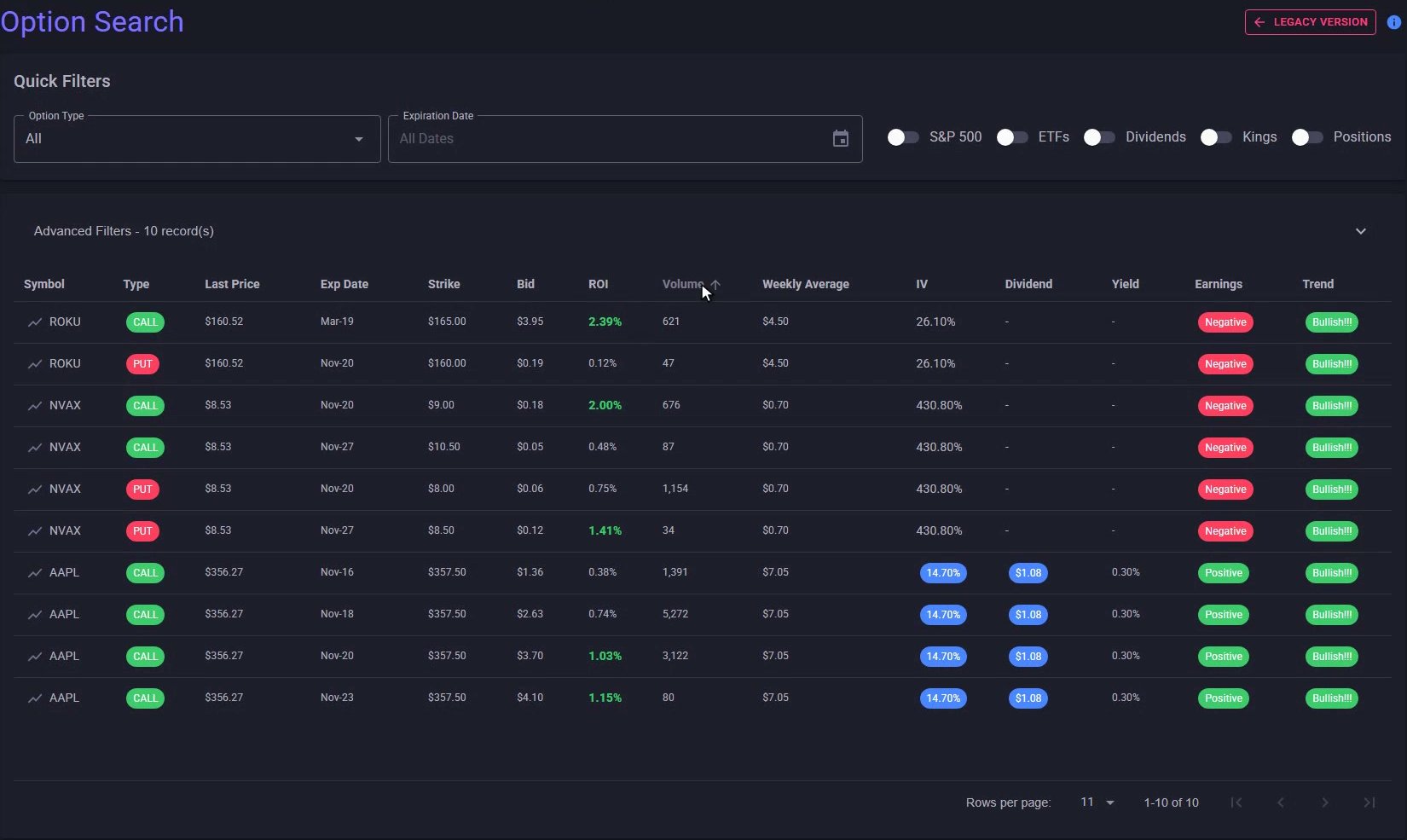
The Option Search table: one at-the-money call or put per row, with ROI bolded in green above one percent.
Step 3: The Remaining Columns
The Volume column on this page shows the contract’s open interest, the number of contracts still open. Weekly Average is the average size of the stock’s open-to-close move in a week. IV is the implied volatility, with a blue chip for S&P 500 members, followed by the annual dividend, its yield, and whether recent earnings came in positive or negative.
Trend reads the 50-day moving average against the 200-day: Bullish when it sits above, Bearish when it sits below, with exclamation marks added when the 20-day is above the 200-day too. The Trends page screens on the full moving-average stack.
Step 4: Filter by Option Type and Expiration
In Quick Filters, Option Type narrows the table to calls or puts. The Expiration Date calendar only lets a date with data be picked; the rest are greyed out. Picking one shows that expiration across every symbol, and the record count beside Advanced Filters follows along. The X in the box clears it back to all dates.
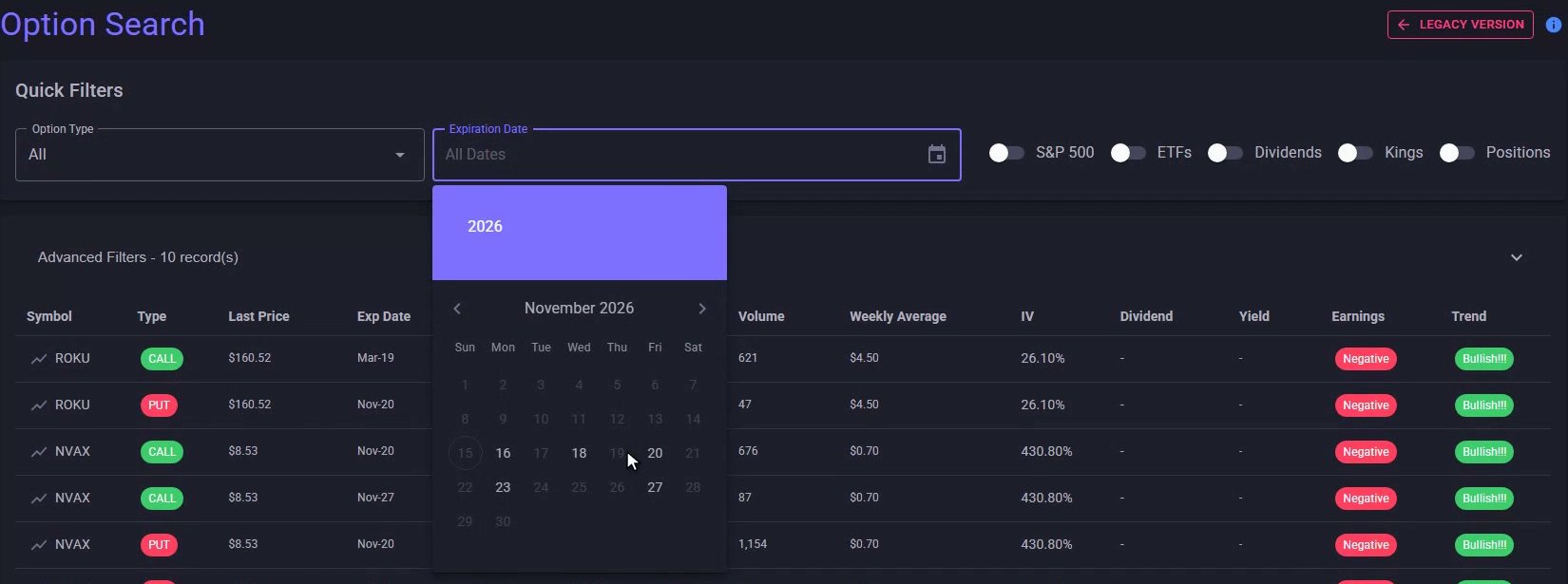
Only expirations with data can be picked; the rest of the month is greyed out.
Step 5: Filter by What the Symbol Is
The switches filter by the symbol itself: S&P 500 members, ETFs, dividend payers, dividend kings, aristocrats, champions and contenders, or only symbols the account holds a position in. In the demo, S&P 500 cuts the list down to Apple. Turning on Kings swaps the IV column for a Category column, where Apple shows up as a dividend contender. If dividends are part of how you track puts, see cash-secured put tracker with dividend tracking.
Step 6: Advanced Filters and Minimum ROI
Advanced Filters opens the detail boxes: one or more symbols, a minimum bid, a minimum ROI, a stock price range, a minimum volume and the earnings flag, plus a Category picker while Kings is on. Typing 1 into Min ROI keeps only the contracts at one percent or better.
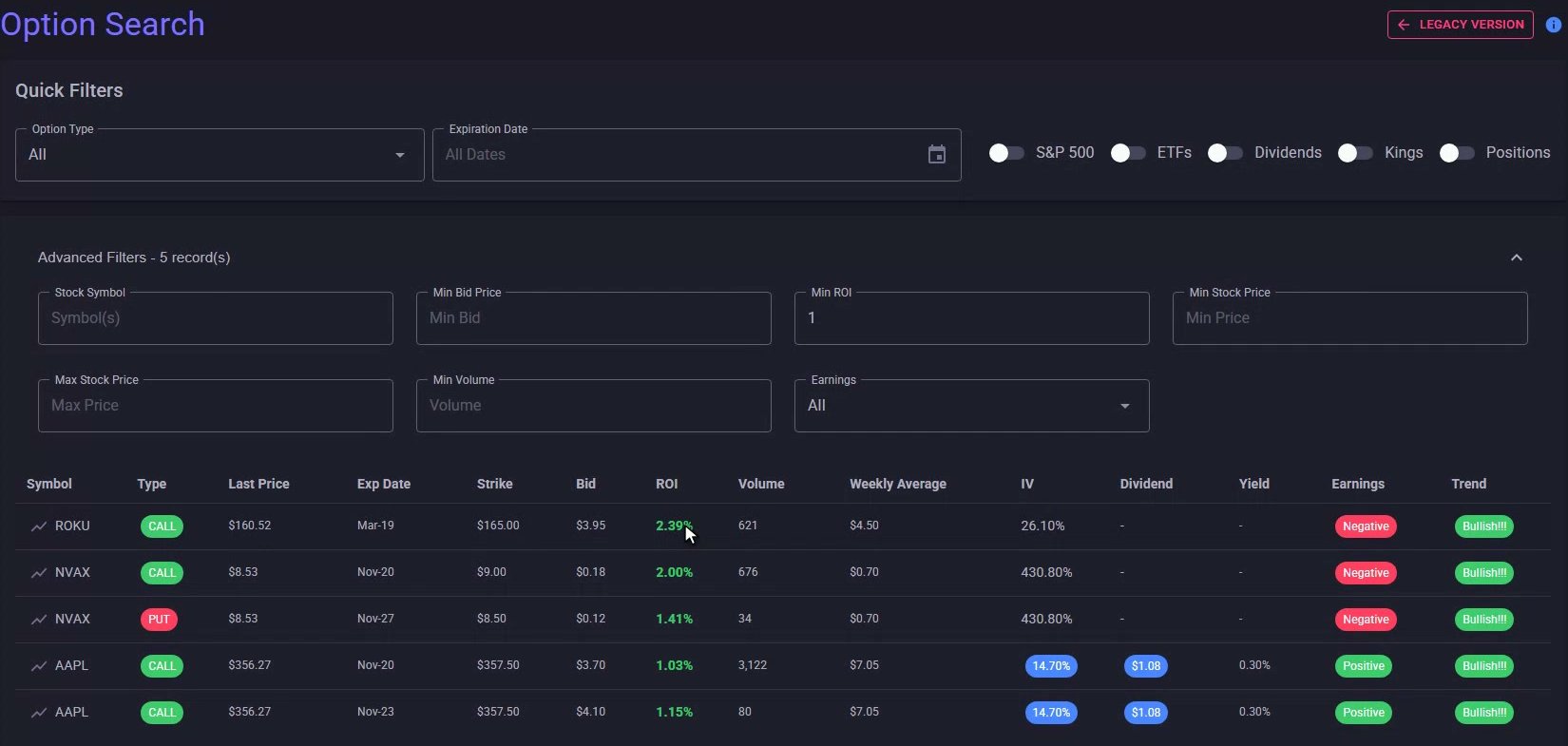
Min ROI set to 1: five contracts left, every ROI bolded.
Step 7: Sort the Table
Every column header sorts the table. One click on ROI puts the lowest first; a second click flips it to the highest first. On a free account the list stops at the first ten contracts; a membership lists them all, up to five hundred at a time.
Every At-the-Money Contract in One Table
That is Option Search in MyATMM: the at-the-money call and put for every symbol the account follows, in one table, with quick filters, advanced filters and sortable columns to cut it down to the contracts the account wants to look at.
Risk Disclaimer
Options trading involves risk and is not suitable for all investors. Past performance does not guarantee future results. This content is for educational purposes only and should not be considered financial advice. The symbols and quotes shown are demo data. Always consult with a qualified financial advisor before making investment decisions.
Related Reading
- Option Search tool: advanced screening for covered calls and cash-secured puts — the original walkthrough of this screener
- How to screen covered calls and cash-secured puts: weekly bids, ROI and filters
- Trends search: SMA stock screening with earnings data
- How to track covered calls and cash-secured puts
- The best cash-secured put tracker apps for 2025
Start Tracking Your Options Positions Accurately
MyATMM provides purpose-built cost basis tracking for option sellers, with the flexibility to track covered calls, cash-secured puts, and wheel strategy positions.
Track up to 3 tickers completely free forever. No credit card required.
Create Your Free Account TodayBuilt for covered calls, cash-secured puts, and the wheel strategy